v1.6.0 โ€” Web Companion file transfers now available

Chat on your
local network.
No internet needed.

LanChGo lets every device on your network talk instantly โ€” no accounts, no servers, no cloud. Just open and go.
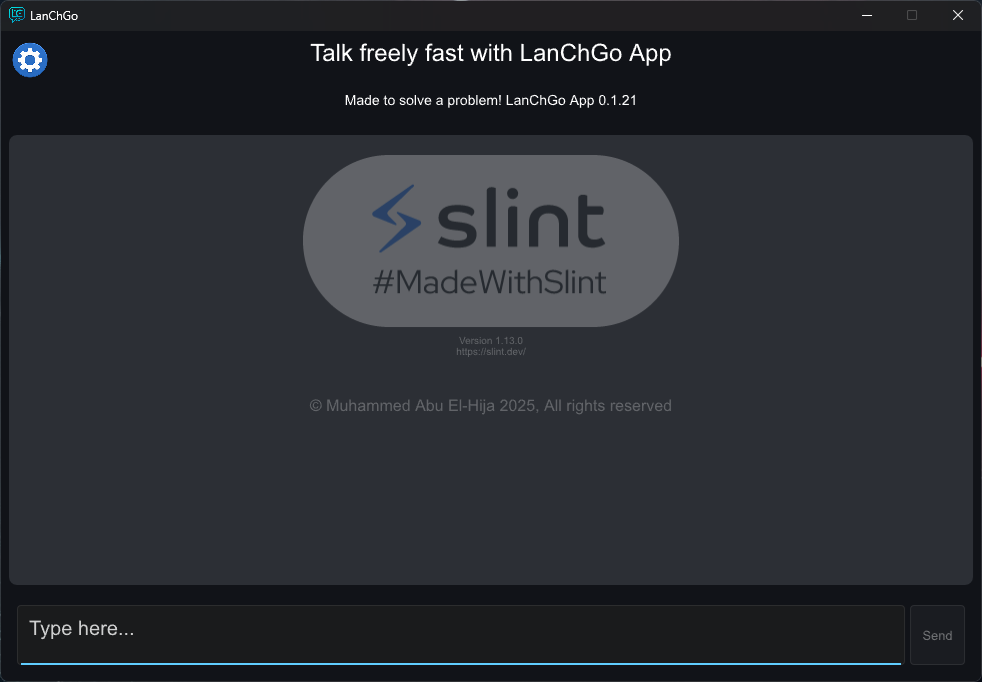
LanChGo Windows app preview
100%
Offline
AES-256
Encryption
2 clicks
Setup
Free
Always
Features

Everything you need.
Nothing you don't.

Built for speed and simplicity โ€” LanChGo removes every barrier between you and the people on your network.

๐ŸŒ
Auto LAN Discovery
Devices on the same network appear automatically. No IPs to type, no configuration needed.
โšก
Two-Click Setup
Open the app and start chatting. Maximum two clicks from launch to connected.
๐Ÿ“‚
File Transfer
Send files between Windows and Android in any direction โ€” all over your local network.
๐Ÿ”’
Secure Channels
Optional PIN-based encrypted channels. Enable with one toggle when you need privacy.
๐Ÿ”„
Network Change Detection
Automatically detects network changes and refreshes broadcasts so you stay connected.
๐Ÿฅš
Easter Eggs
Hidden surprises scattered throughout the app. Find them all โ€” or try not to.

Two modes.
You choose.

By default, LanChGo broadcasts messages openly on your local network. When you need privacy, switch on a Secure Channel โ€” no internet involved either way.

  • ๐Ÿ“ข
    Public Mode (default)Messages are broadcast to all devices on the LAN. Fast, simple, no setup.
  • ๐Ÿ”
    Secure Channel (opt-in)Enable with one toggle. PIN-based encryption โ€” only devices with the correct PIN can read your messages.
  • ๐Ÿง‚
    Fresh Key Every SessionA random salt ensures each secure session generates a completely unique encryption key.
  • ๐Ÿšซ
    Always LocalNeither mode ever sends data over the internet. Everything stays on your network.
Secure Channel

Encryption stack powering LanChGo's optional secure mode

AES-256-GCM PBKDF2-HMAC-SHA256 Random Salt Per-Session Keys Fully Offline
How to set up a Secure Channel โ†’

Web Companion.NEW

No app needed on iOS, macOS, or any other device. If it has a browser, it can join your session instantly โ€” and now receive file transfers too.

01
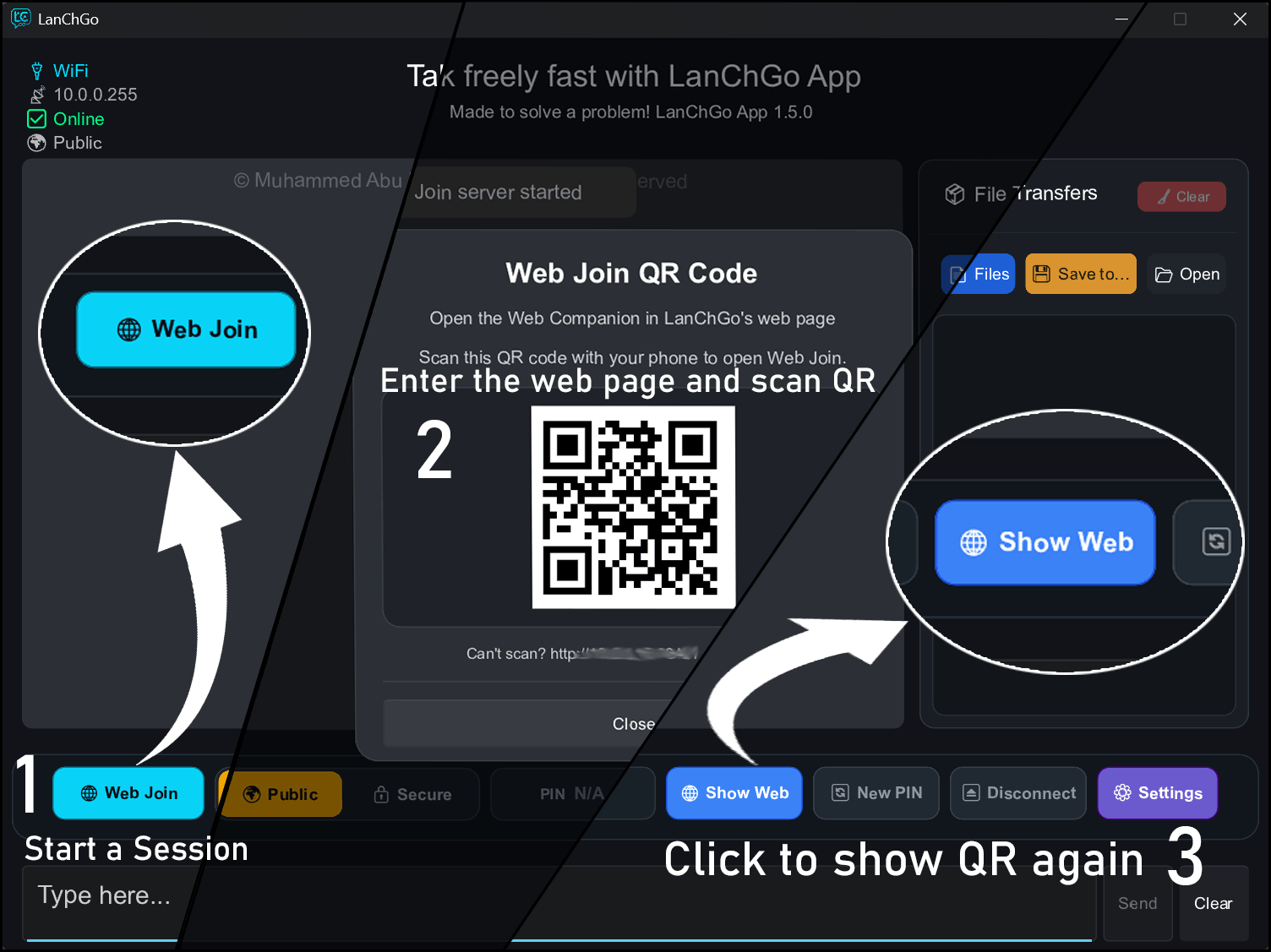
Click Web Join on WindowsStart a web session from the LanChGo desktop app with one click.
02
Press Show Web for the QR codeA QR code appears โ€” your mini local server is now running.
03
Scan, chat and receive filesAny device with a browser connects instantly. No app, no account, no internet.
Open Web Companion
Web Companion setup guide
Download

Get started in seconds.

Free on all platforms. No account required.

Windows
LanChGo Desktop
Version 1.6.0 ยท Open Source
Download Installer View Source
Android
LanChGo Mobile
Version 1.2.0 ยท Google Play
Google Play
Secure channel guide โ€” Windows Secure channel guide โ€” Android
Changelog

Latest updates.

LanChGo is actively developed with new features shipping regularly.

v1.6.0 โ€” Latest
Web Companion File Transfers
Android v1.2.0 โ€” Latest
Background Service & Notifications
v1.5.0
Web Companion