Ready for instant session pairing
Web
Companion
A lightweight browser companion for LanChGo. No app install needed.
Join a LanChGo session directly from your browser by scanning the QR code shown in the Windows app.
Fast pairing
Local only
Instant chat
How it works
1
Open LanChGo on your Windows device
2
Press Web Join to start a session
3
Press Show Web to display the QR code
4
Tap Start Scanner and scan the QR code
LANCHGO WEB
Waiting
Join Session
Scan the QR code shown in the LanChGo Windows app.
QR Code Detected!
Redirecting you to the session...
Tip: make sure your device is on the same Wi-Fi network as the Windows PC running LanChGo.
Tip: Android app has more features and better than a comapnion for an android phone.
Tip: Android app has more features and better than a comapnion for an android phone.
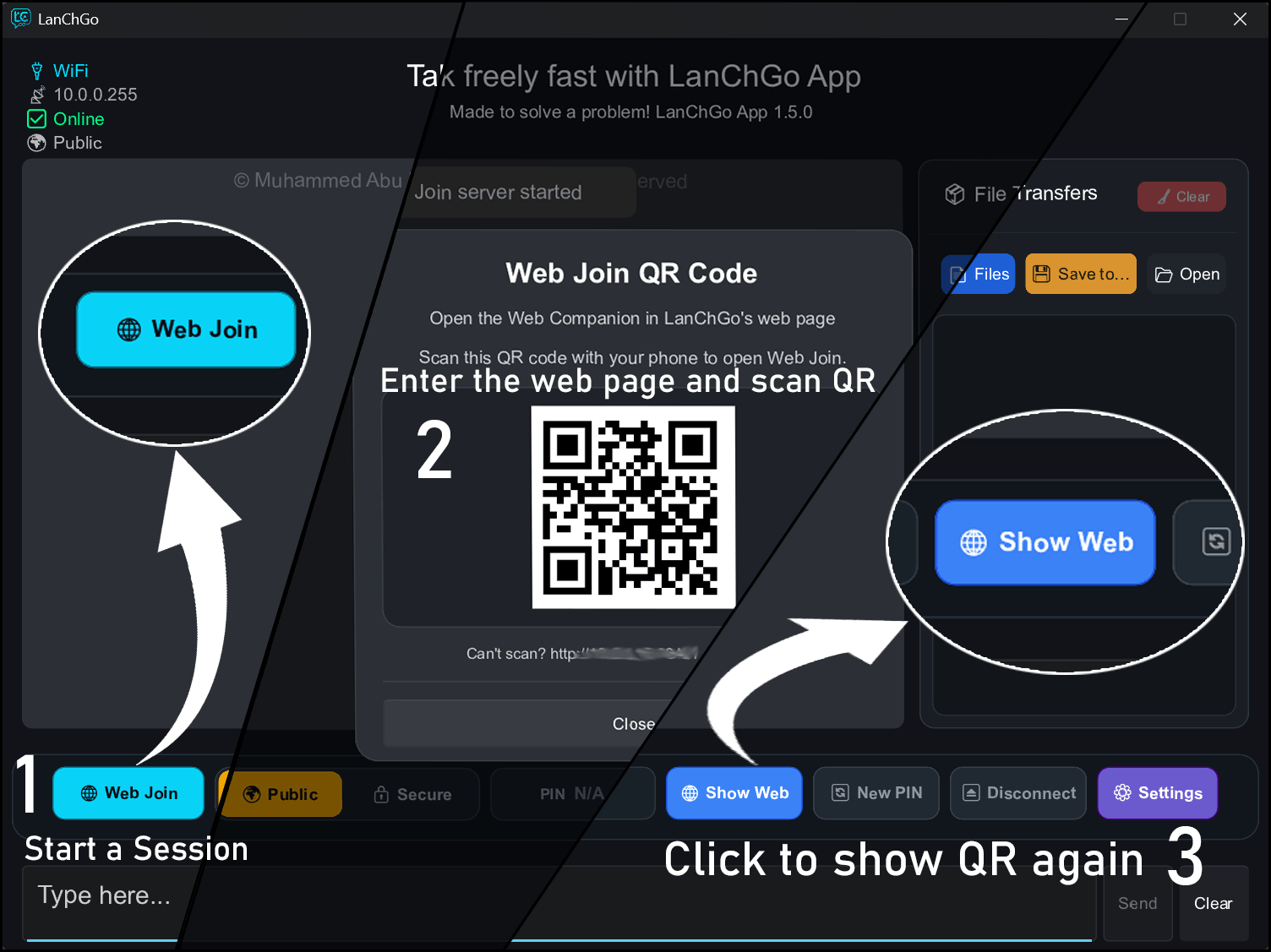
Press Web Join then Show Web in the LanChGo app to see the QR code.