Chat on your
local network.
No internet needed.

LanChGo lets every device on your network talk instantly โ€” no accounts, no servers, no cloud. Just open and go.
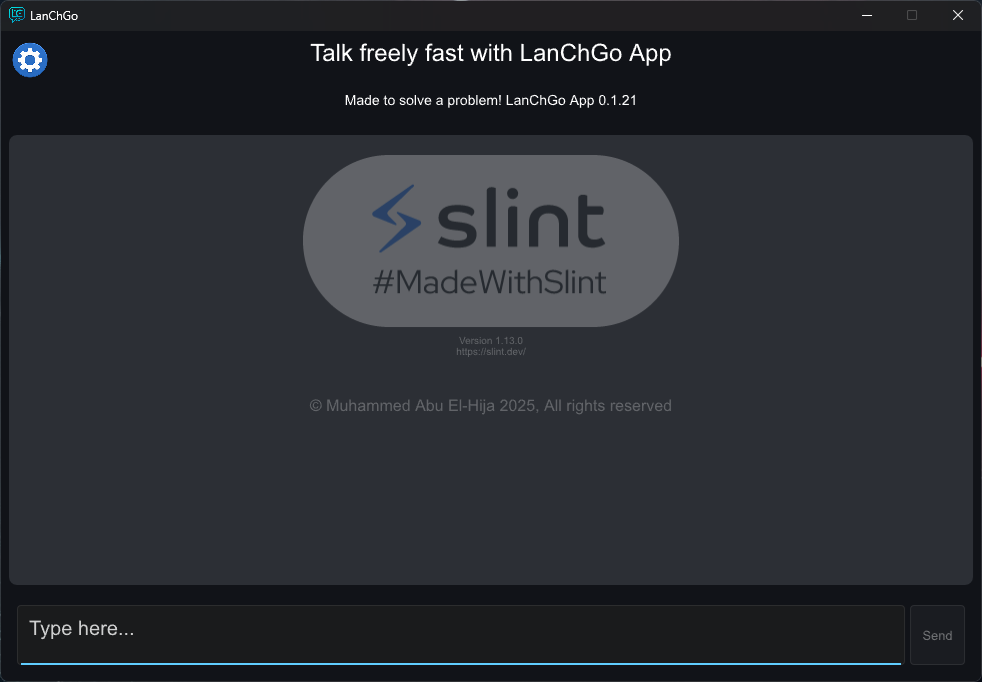
LanChGo Windows app preview
100%
Offline
AES-256
Encryption
2 clicks
Setup
Free
Always
Features

Everything you need.
Nothing you don't.

Built for speed and simplicity โ€” LanChGo removes every barrier between you and the people on your network.

๐ŸŒ
Auto LAN Discovery
Devices on the same network appear automatically. No IPs to type, no configuration needed.
โšก
Two-Click Setup
Open the app and start chatting. Maximum two clicks from launch to connected.
๐Ÿ“‚
File Transfer
Send files between Windows and Android in any direction โ€” all over your local network.
๐Ÿ”’
Secure Channels
Optional PIN-based encrypted channels. Enable with one toggle when you need privacy.
๐Ÿ”„
Network Change Detection
Automatically detects network changes and refreshes broadcasts so you stay connected.
๐Ÿฅš
Easter Eggs
Hidden surprises scattered throughout the app. Find them all โ€” or try not to.
๐Ÿท๏ธ
User Names
Set a name that shows under your messages, so everyone knows who is talking. Turn it off any time.
๐Ÿ“Š
Polls
Ask a question, let everyone on the network vote, and see the results as bars, a pie or columns.
๐Ÿ’ป
Web Companion
Join from any browser, no app needed. Chat and send files from your phone or desktop to any device.
Watch

See LanChGo in action.

A quick look at what LanChGo does and how it works.

Feature Overview
A tour of LanChGo's features
Promo
LanChGo in 60 seconds

Two modes.
You choose.

By default, LanChGo broadcasts messages openly on your local network. When you need privacy, switch on a Secure Channel โ€” no internet involved either way.

  • ๐Ÿ“ข
    Public Mode (default)Messages are broadcast to all devices on the LAN. Fast, simple, no setup.
  • ๐Ÿ”
    Secure Channel (opt-in)Enable with one toggle. PIN-based encryption โ€” only devices with the correct PIN can read your messages.
  • ๐Ÿง‚
    Fresh Key Every SessionA random salt ensures each secure session generates a completely unique encryption key.
  • ๐Ÿšซ
    Always LocalNeither mode ever sends data over the internet. Everything stays on your network.
Secure Channel

Encryption stack powering LanChGo's optional secure mode

AES-256-GCM PBKDF2-HMAC-SHA256 Random Salt Per-Session Keys Fully Offline
How to set up a Secure Channel โ†’

Web Companion.

No app needed on iOS, macOS, or any other device. Windows and Android can host the Web Companion, allowing any device with a browser to join your session instantly โ€” chat and send files both ways, all over your local network.
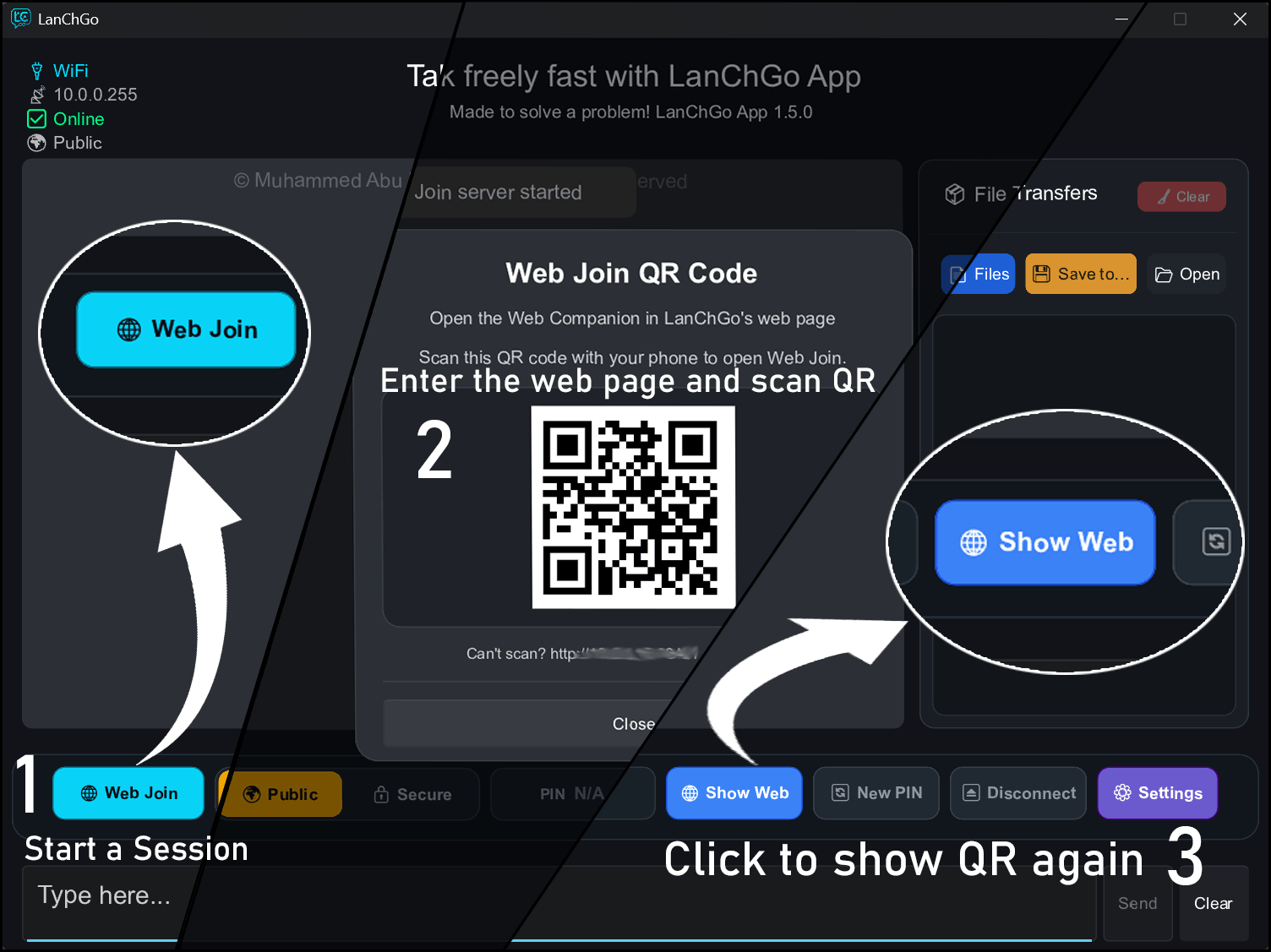
01
Start it on Windows or AndroidClick Web Join in the desktop app, or switch on Web Companion from the menu on your Android phone.
02
Show the QR codeA QR code appears โ€” your mini local server is now running.
03
Scan, chat and send filesAny device with a browser connects instantly. No app, no account, no internet.
Open Web Companion
LanChGo Web Companion on Windows LanChGo Web Companion on Android
Download

Get started in seconds.

Free on all platforms. No account required.

Windows
LanChGo Desktop
Version 1.10.0 ยท Open Source
Download Installer View Source
Android
LanChGo Mobile
Version 1.6.0 ยท Google Play
Google Play
Linux
LanChGo Linux
Version 1.0.0 ยท .deb package
Download .deb Coming Soon
Secure channel guide โ€” Windows/Linux Secure channel guide โ€” Android
Changelog

Latest updates.

LanChGo is actively developed with new features shipping regularly.

Android v1.6.0 - Latest
Names, Web Companion & Polls
  • User names: set a name that shows under your messages
  • Web Companion on Android: chat and send files from any browser on the same network
  • Polls: create a poll, vote, and see the results as bars, a pie or columns
  • Resend file offer for transfers
  • New "Messages to keep" setting
  • Feedback now asks for some context before it can be sent
  • Bug fixes and improvements
Windows v1.10.0 - Latest
Names & Polls
  • Added device unique ID
  • Ability to add a name to your device
  • Introduced polls with voting and results displayed in bar, column, and pie charts
Linux - Latest
Initial version
  • Initial version